

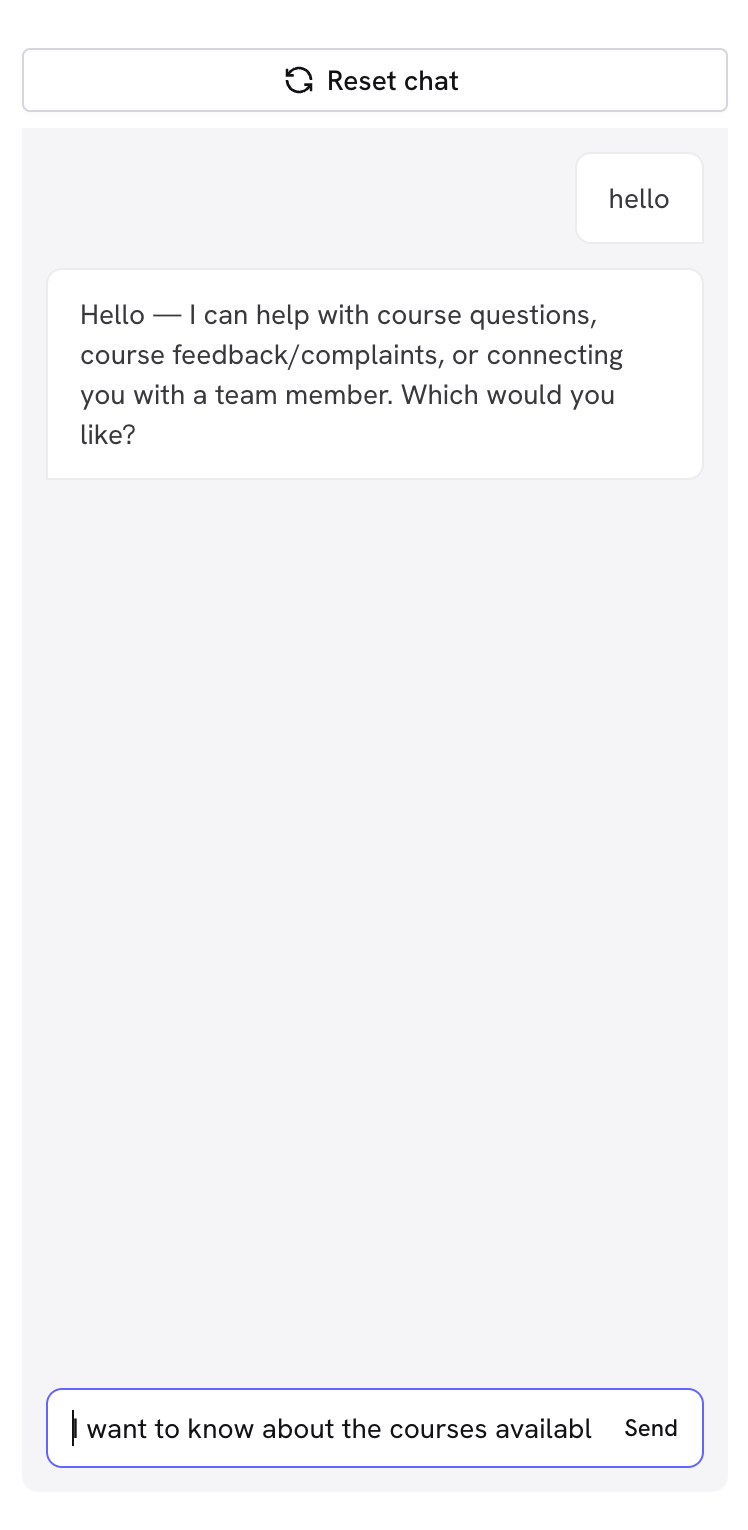
Why use the Playground?
🚀 Quick validation without needing to send a flow via WhatsApp- Test complete conversations in seconds
- You don’t need to send real WhatsApp messages
- Experiment without limits until you’re satisfied
- Identify confusing or incorrect responses
- Detect gaps in your knowledge base
- Test difficult scenarios and objections
Important: The Playground only tests the agent’s conversational logic. CRM integrations do not run here. You’ll need to test those functions with a real WhatsApp conversation.
🎯 5-step testing methodology
Step 1: Test the basic flow (Happy Path)
Simulate an ideal customer who follows the intended flow: Scenario: a contact who follows the intended path from start to finish- Asks questions in a logical order, one at a time
- Confirms the information it receives
- Uses the right tools at the right moment
- Closes or hands off the conversation according to the rules you defined
- Keeps an appropriate tone from start to finish
Step 2: Test real customer scenarios
Simulate typical behaviors of your customers:🤔 Undecided customer
🤔 Undecided customer
How to act:
- Ask vague questions: “Can you help me?”
- Request comparisons: “What’s better, A or B?”
- Show doubts: “I’m not sure if this is for me”
- Agent clarifies specific needs
- Provides useful comparisons
- Handles uncertainty without pushing
⚡ Rushed customer
⚡ Rushed customer
How to act:
- Use short phrases: “Price”, “Hours”, “Availability”
- Interrupt explanations: “Just tell me the cost”
- Indicate urgency: “I need this now”
- Concise and direct responses
- Essential information first
- Doesn’t over-explain when not asked
💰 Price-sensitive customer
💰 Price-sensitive customer
How to act:
- Ask about prices immediately
- Compare with competition: “At X place it’s cheaper”
- Look for discounts: “Do you have promotions?”
- Appropriately handles price objections
- Highlights value, not just price
- Offers alternatives when relevant
🔒 Cautious customer
🔒 Cautious customer
How to act:
- Avoids giving personal information
- Asks many questions before deciding
- Expresses distrust: “Is this safe?”
- Respects user privacy
- Provides security information
- Generates trust progressively
Step 3: Test extreme cases and objections
Difficult scenarios reveal weaknesses: 🚫 Boundary tests:- Handles objections without being pushy
- Explains clearly when it doesn’t understand
- Respects user decisions
Step 4: Validate your knowledge base
Ask specific questions about your business:- 📋 Basic information
- 🔧 Technical details
- 💼 Complex cases
- What are your hours of operation?
- Where are you located?
- What payment methods do you accept?
- Do you deliver/ship?
- Do you have a warranty?
Step 5: Iterative optimization
🔄 Continuous improvement process:1
Identify problems
Note incorrect, confusing, or incomplete responses during testing.
2
Update your knowledge base
Add missing information or clarify ambiguous content.
3
Reset and test again
Use “Reset chat” and repeat problematic scenarios.
4
Validate the improvement
Confirm that identified problems have been resolved.
Signs you need more optimization
🔴 Critical problems:- Incorrect answers about basic information
- Can’t guide toward the main objective
- Provides contradictory information
- Gets confused with simple questions
- Responses too long or short
- Difficulty with jargon or specific terms
- Doesn’t handle objections well
- Missing information about special cases
- Responds consistently well in all scenarios
- Handles extreme cases professionally
- Provides clear value in each interaction
- Users can easily achieve their objectives
⚡ Tips for efficient testing
Send yourself a test conversation on WhatsApp
The Playground doesn’t run integrations. To verify everything works end to end, send the agent to your own number.1
Create the test conversation
After saving the agent, choose Go to create conversation. Treble builds an outbound conversation with your agent already connected.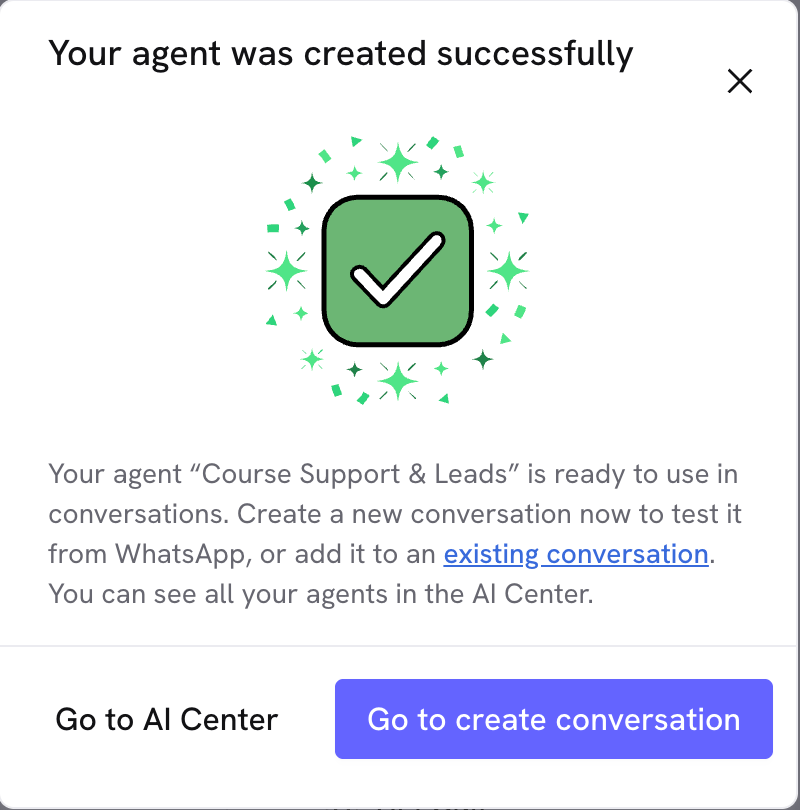
2
Name it and pick an HSM template
Outbound conversations need a Meta-approved template to start the contact. You can use one of yours or the one Treble creates by default.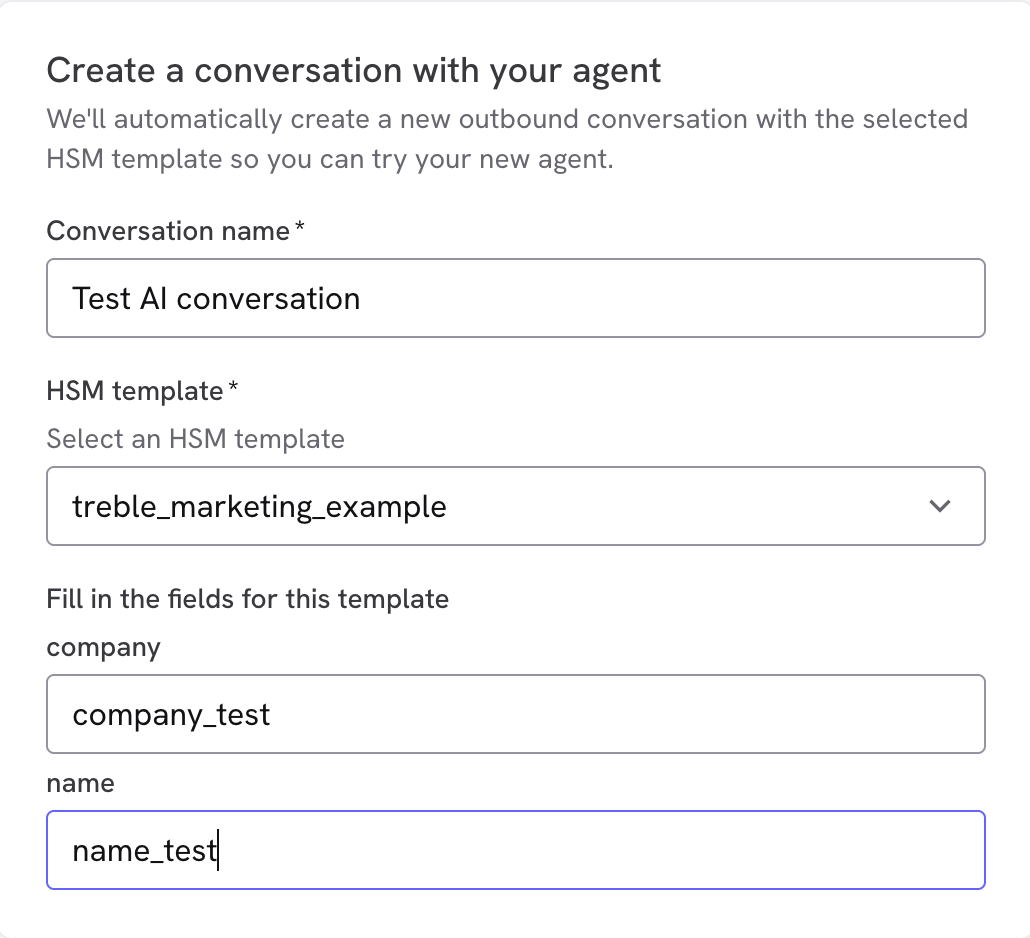
3
Add your number
Enter the WhatsApp number where you want to receive the conversation and send it.
4
Test it from your phone
Reply the way a real customer would and validate the complete flow.
5
Validate the integrations
If you use HubSpot or Salesforce, confirm the data was saved correctly and that the tickets or transfers ran.
Next steps
Is your agent working well in the Playground? It’s time to:- Use your agent in a conversation - Integrate your agent into WhatsApp flows
- Optimize your knowledge base - Improve response quality
- Review the AI Agent detail - Available tools and how to adjust the instructions